

If you want to understand how internal links affect SEO, you’re in the right spot.
They connect your content and help search engines and readers make sense of your site.
This guide breaks down why internal links matter and shows you how to use them effectively.
By the end, you'll know how to create a smart linking system for better SEO.
Let’s get started!
Benefits of Internal Linking for SEO
When it comes to optimizing your website for search engines, internal linking is one of those underrated strategies that delivers a big punch.
It’s not just about sprinkling a few links here and there—there’s an entire science behind it. The beauty of internal links is that they do double duty: they make your site easier for search engines to crawl while creating a better user experience for visitors.
Let’s dig into the key benefits and why this should be at the top of your SEO checklist.
Boosts Search Rankings
Internal links aren’t just road signs—they’re like highways that connect your most important pages to each other.

They pass link equity (a fancy way of saying "ranking power") from one page to another.
When you link to newer or less authoritative pages from top-ranking ones, you’re essentially telling search engines, “Hey, these pages matter too!” That helps spread authority across your website.
Think of it as filling up your site with evenly distributed SEO momentum.
When Google or Bing crawls your content, they’ll pick up on which pages are important based on the internal links directing them there.
And guess what? Your keyword-optimized anchor text (the clickable part of the link) can signal what these pages are all about.
This is a subtle yet powerful way to boost search rankings.
Improves Crawlability
Search engines operate a lot like explorers—they need directions. Proper internal linking makes their job easier by giving them a clear path to follow.
Internal links ensure that crawlers can access every corner of your site, especially the buried pages that would get overlooked otherwise.
Here’s the cool part: when you’ve got a sensible linking system, search engine bots can efficiently index your site.
That means they’ll understand not just where your pages live, but also how they relate to each other. If your pages are just sitting there unconnected like islands, they’re way more likely to go unnoticed, which is bad news for your rankings.
Want to make it even simpler for search engines? Combine internal linking with a clean site structure.
Limit how many clicks it takes for someone (or a bot!) to reach important pages—ideally, no more than three clicks.
Enhances User Experience
Good internal linking isn’t just about bots.
Think about your users. Internal links guide visitors like a map, showing them related or interesting content without making them work too hard to find it.
Ever landed on a blog and noticed those “You might also like” links? That’s internal linking in action.
When users can easily navigate your content, they’re less likely to bounce (a win for your engagement metrics).
They’ll also stay on your site longer, whether they’re moving from your latest blog post to a product page or from a case study to a lead capture form.
The result? A site that’s genuinely helpful and easy to use, which, spoiler alert, is something search engines actually reward.
Nobody wants to end up on a digital scavenger hunt; internal links save your visitors that hassle.
Strengthens Content Strategy
If there’s one thing internal linking does well, it’s creating structure. It helps tie your content together like threads in a tapestry.
By linking pillar pages (those high-value pages that cover broad topics) to related pieces of content, you build what’s called a content cluster.
This strategy not only keeps your site well-organized but also gives search engines (and users) a clear idea of how your content fits together.
For example, if your pillar page is all about “SEO Tips,” you can link it to subtopics like “Keyword Research for Beginners” or “How to Use Meta Tags.” Each related page strengthens the main topic while helping readers dive deeper into specific areas, all without feeling lost.
This interconnectedness also tells search engines, “Hey, I’ve got this topic completely covered,” which builds your authority.
Bonus points: you’ll get credit for being the source for that specific niche or topic.
How Internal Links Work
Internal links are the silent MVPs of any well-organized website. They’re those links on your site that move users (and search engines) from one page to another within the same domain.
You might not give them much thought, but trust me, these tiny breadcrumbs are doing some serious heavy lifting behind the scenes.
They shape how search engines interpret your site’s structure and help visitors easily find the content they care about.
To demystify how internal linking works, let’s break it into its key parts—search engines, user behavior, and the link itself.
The Anatomy of an Internal Link
An internal link isn’t just some random blue text you slap onto a webpage. It’s a combination of essential components that all work together, like the parts of a machine.
Here’s what makes it tick:
- Anchor Text: This is the clickable, visible part of the link—the text users see and click. Anchor text isn’t just decoration. It’s the part that tells both visitors and search engines what to expect on the linked page. Got a blog about “simple SEO tips”? Your anchor text should signal exactly that, like “learn simple SEO tips.”
- URL: This is where the link takes you. Whether it’s directing users to your About Us page or a blog post, the URL needs to be the correct page address on your site. Broken URLs? They’re like sending someone to a locked door. Nobody’s impressed.
- Tags and Attributes: These are the behind-the-scenes instructions for your links. For example:
nofollowtags tell search engines not to pass authority to the linked page. (But heads up—avoid usingnofollowon internal links unless you have a really good reason.)- Open in a new tab attributes can make navigation smoother when linking from one content-heavy page to another.
Think of it like this: if a website is a map, internal links are the roads, with the anchor text as the street signs and the URLs as destinations.
Make those signs crystal clear, and don’t send your visitors down dead-end alleys by mistake.
Search Engines and Internal Link Signals
Search engines view internal links as clues to understanding your website’s hierarchy and priorities.
When you use them strategically, internal links can significantly boost your SEO game.
Here’s how:
- Relevance: Google doesn’t have eyes (duh), but it does interpret keywords. Your internal links help search engines figure out what your pages are about based on anchor text and surrounding content. If you link often to a page titled “SEO for Beginners,” Google’s going to start thinking, “Oh, this must be important.”
- Hierarchy: Internal links tell search engines which of your pages matter the most. Are you repeatedly linking back to your “Ultimate Guide to SEO” from multiple other pages? That signals it’s a priority. Meanwhile, less-linked pages (often called “orphan pages”) can get lost in the crawl process, like forgotten islands.
- Passing Link Equity: Also known as “link juice,” this is SEO gold. High-ranking pages can pass their authority to other pages through internal links. It’s kind of like giving your less-popular pages a boost in the search engine lineup. This strategy is why linking to important blog posts, resources, or landing pages is a big deal.
Search engines see your internal links as a roadmap—they help crawlers find every nook and cranny of your site while reinforcing the value of your cornerstone pages.
Without them? Your sitemap might as well be a crumpled-up piece of paper.
User Behavior and Internal Links
While Google bots are hashing out their crawl priorities, your human visitors are busy making decisions about whether they stick around or bounce.
Internal links directly influence user experience, and here’s why:
- They Improve Navigation: Think of your website like a museum. Good internal links are the exhibit signs that guide users from room to room without feeling lost or overwhelmed. Pages should naturally flow into one another, giving visitors smooth paths to follow.
- They Boost Session Duration: You want people to hang out on your site longer, right? Strategic links help move readers from one topic to the next, keeping them interested. (Also, a longer average session duration sends positive vibes to Google that your site is valuable.)
- They Create a Logical Journey: Think breadcrumbs à la Hansel and Gretel—without the ominous forest. Internal links help readers logically explore related content. Just finished reading about “Why Internal Links Matter”? Here’s a link to “How to Create Content Clusters.” Boom, a seamless user experience!
In short, internal links are like customer service reps for your website. They’re there to guide users where they need to go, whether they’re browsing your products or diving deeper into your educational content.
And when you make life easier for your visitors? You’ve officially won at both usability and SEO.
Types of Internal Links (and When to Use Them)
Internal linking isn’t just a random SEO tactic you sprinkle across your site. It’s about intent, purpose, and strategy.
Think of internal links as the skeleton of your website—they hold everything together and keep your site functioning smoothly for both users and search engines.

But, not all internal links do the same job.
Let’s break down the main types, what they do, and when to use them.
Navigational Links
These are the links you see in menus, sidebars, and website footers. They are the compass for your website, giving users a sense of direction. Think of them as the backbone of your website’s structure.
Navigational links guide users to the most significant areas of your site—whether it’s a product category, your blog, or the “Contact Us” page.
They’re also an essential cue for search engines. When you highlight certain pages in a main menu or a sticky navigation bar, you're signaling their importance.
Key takeaway? Keep navigation straightforward. Don’t overwhelm your menu with too many options. Prioritize key categories or pages that drive traffic or conversions.
A cluttered nav menu is like offering visitors a treasure map covered in coffee stains—nobody’s got time to decode that.
Contextual Links
If navigational links are the highways, contextual links are the scenic routes. These are the in-content links that guide users deeper into related topics or resources.
Think clickable phrases within blog posts or product pages, seamlessly placed to enhance the user’s journey.
For example, if you’re writing about beginner SEO tips, linking to a detailed guide about keyword research gives readers added value.
Contextual links tell search engines how your pages are connected, helping to distribute authority across your site.
Plus, they improve your time on site metrics by leading readers from one relevant piece of content to another.
So, when do you use them? Whenever it fits naturally.
Don’t go sprinkling links like confetti. If the link doesn’t genuinely add value (or feels out of place), skip it. Always maintain a “reader-first” mentality.
Breadcrumb Links
Breadcrumbs are exactly what they sound like—a digital version of Hansel and Gretel’s crumbs, leading your visitors (and search engines) back home.
They’re super handy for websites with lots of categories, subcategories, and pages. Breadcrumbs typically appear near the top of the page, showcasing the path the user took to land there.
Example: Home → Blog → SEO Basics → How to Optimize Internal Links
For users, breadcrumbs mean no confusion. If they’ve gone deep into a rabbit hole of blog posts or products, they can quickly retrace their steps.
For search engines, breadcrumbs add clarity to your site’s hierarchy. They reinforce your inner structure and give extra context about the relationship between pages.
Use breadcrumbs on websites with complex structures (like e-commerce or niche blogs).
For smaller sites? You may not need them if your menu already serves that purpose.
Footer Links
Ah, the footer—easily overlooked, but incredibly important for internal linking.
Footer links are often reserved for important, evergreen pages.
These include terms and conditions, privacy policies, or quick links to high-traffic sections.
The trick with footer links? Don’t overload them. Stuffing a footer with hundreds of links isn’t helpful; it’s just overwhelming and might dilute your site’s overall SEO equity.
Stay selective. Highlight categories, services, or essential pages users might look for at the bottom of your site.
When implemented correctly, footers are like a safety net. Even if users scroll past everything else, they’ll have access to the vital links that keep them engaged.
Just don’t use it as a dumping ground for every single link on your site—clean and simple is key.
How to Create an Effective Internal Linking Strategy
Creating an internal linking strategy isn’t just about scattering links like breadcrumbs. It’s about connecting your pages in a way that makes sense for both users and search engines.
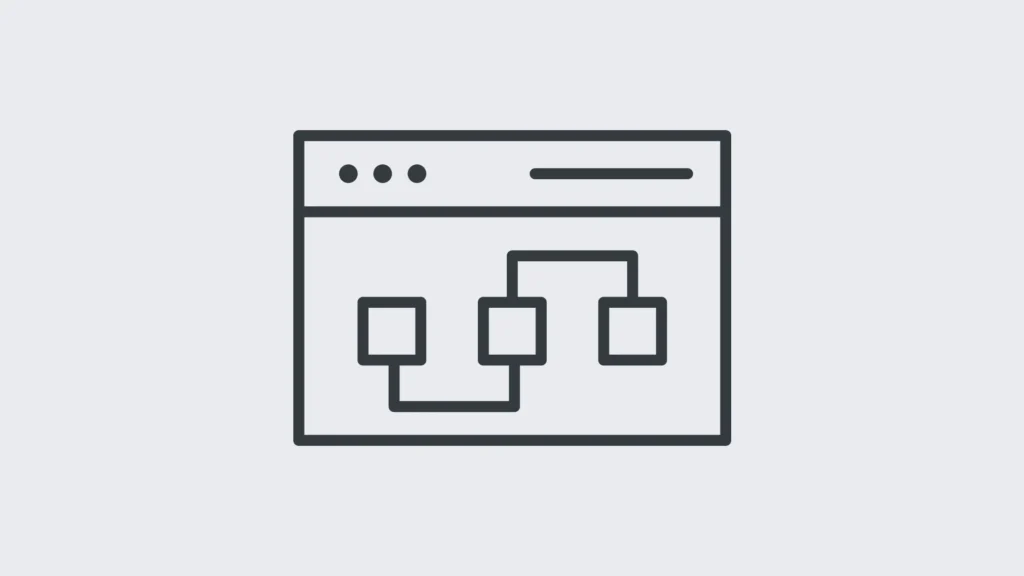
Internal links are the bridges that guide visitors and Google alike, showing them the most important sections of your site.
Done right, they improve user experience, boost SEO, and strengthen your website’s overall structure.
Here’s how you do it, step by step.
Start with a Strong Site Structure
Before you even think about linking, take a step back and evaluate your site’s architecture.
Is your content organized in a way that’s easy to navigate?
If your website feels like a maze, no amount of linking will fix that.
The best way to structure your site is by using categories and content clusters. Think of your site like a family tree: broad topics (your “pillars”) at the top, with detailed subtopics branching out below.
For example, if your pillar page is about “SEO Basics,” related pages like “Keyword Research Tips” or “Technical SEO Fundamentals” should live directly under it.
This type of layered structure helps form clear hierarchies for both search engines and your users.
Action step: Plan your site around main topics and group related pages underneath them.
It’s easier to build effective internal links when your content is neatly clustered!
Audit Your Existing Links
Before adding anything new, take a good hard look at what you already have.
If your internal links are a mess—or worse, broken—you’re losing out on SEO potential.
Use tools like Google Search Console and Screaming Frog to identify:
- Broken links (dead ends that frustrate users and search engines alike).
- Orphan pages (those lonely pages with zero internal links pointing to them).
- Overlinked pages (too many links can be overwhelming and dilute SEO benefits).
These tools act like a GPS for your site, showing you exactly where your linking strategy is veering off course.
Think of this as spring cleaning for your site—get rid of the broken and irrelevant links and start fresh.
Define Key Pages (Your Pillars)
Not all pages deserve equal attention—sorry, blog post from 2015. Focus your internal links on your most important pages, also known as pillar pages.
These are the pages you want to rank: your homepage, cornerstone blog posts, service pages, and anything else driving traffic and conversions.
How do you know which pages to prioritize?
Look at analytics to find pages with:
- High traffic potential.
- Strong conversion rates.
- Valuable content that’s comprehensive or evergreen.
Once you’ve identified your heavy hitters, make sure every piece of related content links back to these pages.
This reinforces their importance to search engines and readers.
Use Keyword-Rich Anchor Text
Anchor text is the clickable part of the link, and it’s more important than you think. It signals to search engines what the linked page is about, so don’t settle for bland text like “click here” or “learn more.”
Use anchor text that includes your target keywords while still sounding natural.
But—and this is a big but—don’t overdo it. Stuffing your anchor text with keywords is a surefire way to get flagged as spammy.
Write for humans first and let the keywords work their way in organically.
Example:
- Good: “Check out our guide on SEO link-building strategies.”
- Bad: “Read this post now!” (Zero context provided.)
Link Deep, Not Just Wide
One rookie mistake? Only linking to high-level pages like your homepage or main category pages. While those links are important, don’t forget about your deeper, more niche pages.
They often need the SEO love to rank better.
For example, if you’ve got an in-depth guide buried three clicks deep in your blog, link to it! Internal linking helps surface these hidden gems, making them more accessible to users and more visible to search engines.
Think of it this way: don’t just build highways to the major cities—create access roads to the smaller towns, too.
Limit Links Per Page
Here’s the thing: more links don’t always mean better results.
Having too many links on one page can overwhelm your readers and confuse crawlers. (Search engines have a limited amount of crawl bandwidth—they’re not going to visit 100 links just because they’re there.)
So, what’s the magic number? Aim for about 3-5 relevant internal links per 1,000 words of content, but adjust based on your page’s length and complexity.
This keeps things balanced without looking spammy.
Pro tip: Avoid linking to the same page repeatedly within the same article unless it’s crucial for readers to come back to it. Once is often enough.
Monitor and Update
Internal linking isn’t a “set it and forget it” task. Every time you add or update content, review your links.
Is everything still relevant? Are your pillar pages still the highest priority?
(Spoiler: content that was hot six months ago might not be your current focus.)
Schedule regular audits—maybe quarterly—to refresh your links. Tools like Ahrefs and Semrush make it easy to identify broken links or missed opportunities, so use them to stay ahead.
Think of internal linking as ongoing maintenance, like changing the oil in your car.
Without regular updates, it just won’t perform as well.
Common Mistakes to Avoid
Internal linking is one of the most overlooked yet impactful strategies in SEO. Done right, it can guide users effortlessly through your site and help search engines understand your content hierarchy.
But let's be real—it's easy to mess up. If you’re not careful, you can unintentionally sabotage your rankings and frustrate your visitors.
Let’s look at some of the most common internal linking mistakes and how to steer clear of them.
Over-Optimized Anchor Text
Keyword stuffing isn’t just something you need to avoid in your content—it applies to anchor text too.
When you cram keywords into every clickable link, it doesn’t just look spammy; it raises red flags for search engines.
Google’s algorithms are smart enough to spot manipulation and may penalize your site for going overboard.
Instead of forcing keywords, aim for natural, descriptive anchor text.
For example, if you’re linking to a blog on "Beginner’s Guide to SEO," opt for something relevant like “start learning SEO basics” instead of cramming in a clunky string of keywords like “best beginner SEO guide ultimate 2023.”
Keep it reader-focused, not robot-focused.
Broken or Dead Links
Nothing screams unprofessional like a 404 error.
Broken links disrupt user flow and erode trust—not to mention, they waste crawl budget, which could’ve been better spent indexing functional pages.
Search engines notice, and so do your visitors.
Fixing dead links isn’t as complicated as it seems. Use tools like Google Search Console or Screaming Frog to regularly audit your internal links.
Once identified, either update the URL to the correct destination or remove the link entirely.
If the broken page has a new home, redirect users with a 301 redirect to preserve any link equity.
Ignoring Orphan Pages
Orphan pages are like digital castaways—sitting on your site with no internal links pointing to them. This makes them virtually invisible to search engines and your users.
Even if the content is gold, it might as well not exist if it’s not connected.
To solve this, start with an audit. Tools like Ahrefs or SEMRush can highlight orphan pages.
Once identified, link to them from relevant, high-traffic pages that are already well-linked. If you’ve got a content cluster strategy, make sure every piece ties back to your key pillar pages.
Think of it as weaving those lonely pages back into the web of your site.
Overloading Pages with Links
More isn’t always better. Throwing dozens (or hundreds) of internal links on a page confuses both users and search engines.
It’s like being given a 50-page map with a bunch of roads; where are you even supposed to go?
Dense linking can dilute the SEO value of each link and create a cluttered experience.
Stick to linking only the most relevant pages. As a general rule of thumb, 3-5 internal links for every 1,000 words of content is a good starting point, but don’t make it feel forced.
Audit pages with excessive links and trim them down.
Prioritize quality over quantity—the goal is to build a strong, meaningful connection between pages, not flood the reader with irrelevant paths.
Dismissing Mobile Users
Here’s the reality: mobile visitors are a huge chunk of your traffic. If your internal linking isn’t mobile-friendly, you’re shooting yourself in the foot.
Links that are too small to tap or cluttered together can frustrate mobile users and tank your site’s bounce rates.
Audit your site on multiple devices to ensure links are easy to click on smaller screens. Avoid placing too many links close together, and always use mobile-responsive designs.
A clean and simple linking structure that adapts well to mobile can go a long way in improving usability and ultimately, your SEO performance.
By dodging these common pitfalls, you can elevate your internal linking game to support both your rankings and user satisfaction.
Remember, it’s not about having the most links—it’s about having the right ones in the right place.
Tools to Simplify Internal Linking
Let’s be real: internal linking is one of those tasks that always seems to fall to the bottom of your to-do list.

It’s time-consuming, and unless you’ve got an army of free hours or extra hands (spoiler alert: most of us don’t), streamlining the process is essential.
That’s where internal linking tools come in. These tools can automate, suggest, and even optimize your internal links so you can spend less time fixing dead links and more time focusing on creating jaw-dropping content.
Let’s walk through some of the most effective SEO tools out there and how they simplify this critical SEO strategy.
Google Search Console: Guide users on identifying linking opportunities and errors
Think of Google Search Console as your internal linking compass. This free tool doesn’t just help diagnose website issues—it’s great for spotting gaps and opportunities in your internal linking strategy.
Here's how it’s a total lifesaver:
- Find orphan pages: You know those poor pages floating around in the abyss with no links pointing to them? Yep, Google Search Console will help you track those down. Just head over to the "Coverage" report to look for pages excluded from indexing and evaluate why they’ve been forgotten.
- Diagnose broken links: Aren’t broken links the worst? They frustrate your users and sink your SEO. With Google Search Console, you can spot crawl errors under the "Crawl Stats" or “Page Indexing” sections, flagging those pesky URLs that need fixing.
- Prioritize top-performing pages: Use the "Performance" tab to spot pages ranking well or generating traffic. Linking internally to these top-tier pages gives them even more search authority. (Think of these pages as SEO magnets—spread the juice!)
Bottom line? Google Search Console is like having a GPS for your internal linking strategy.
It points out where you’re crushing it and where you desperately need a tune-up.
Yoast SEO: How it provides link suggestions for WordPress users
If you’re running WordPress, you’ve probably crossed paths with Yoast SEO.
This plugin is famous for its traffic light system that keeps your content SEO-friendly, but it also has a handy trick for internal links.
- Link suggestions in real-time: While you’re writing or editing a post, Yoast pops up with actionable internal link suggestions based on your existing content. It’s like having a research assistant whispering, “Hey, link this here. You’ll thank me later.”
- Anchor text optimization: Yoast doesn’t stop at suggesting links. It also nudges you to use appropriate anchor text—you know, the clickable part of links—to improve relevance for users and search engines.
- Orphaned content tool: No more orphan pages left behind. The plugin highlights content that doesn’t have internal links pointing to it, ensuring that every post becomes seamlessly intertwined with your site structure.
Yoast SEO doesn’t just save time—it pushes you to build a tighter, smarter linking strategy by integrating SEO best practices directly into your workflow.
It’s a game-changer for WordPress users who want to boost rankings without overcomplicating their process.
Screaming Frog: Analyzing site structures with precision
Okay, let’s talk about Screaming Frog, the Swiss Army knife of SEO tools.
While it’s commonly known for technical SEO audits, it’s a beast when it comes to analyzing internal linking.
- Identify broken and missing links: Screaming Frog crawls every nook and cranny of your website, flagging broken links, redirects, or missing URLs. It’s like giving your site a full-body X-ray.
- Visualize your site’s architecture: Its site structure reports show exactly how your pages are linked (or NOT linked). Picture a digital version of a whiteboard web diagram—except Screaming Frog does all the heavy lifting for you.
- In-depth crawl analysis: From examining crawl depth—how many clicks it takes to reach essential pages—to mapping internal link distribution, it equips you with data to rework your site for maximum efficiency.
Screaming Frog is all about precision. Whether you want to revamp your site’s hierarchy or just clean up link-based clutter, it’s a tool that takes internal linking from “good enough” to “holy cow, this is airtight.”
Internal Link Juicer (WordPress Plugin): Automation for keyword strategies
For WordPress users, Internal Link Juicer is a no-nonsense plugin that turns your internal linking strategy into a fully automated machine.
It’s particularly powerful if you’re targeting specific keywords.
- Automated keyword linking: Say goodbye to manual linking. This plugin matches your pre-defined list of keywords with your content, automatically inserting internal links where they make sense. It’s like having a virtual intern who never misses a keyword opportunity.
- Control over link placement: Hate random links popping up in every paragraph? You can control where and how often internal links appear—perfect for keeping your content clean and natural.
- Customization options: Internal Link Juicer allows you to fine-tune the way each link appears. Adjust anchor text variations, limit links per article, or even blacklist certain keywords/pages. The flexibility ensures you’re balancing optimization without looking spammy.
If you’ve ever felt like creating strategic, keyword-rich internal links is as tedious as untangling Christmas lights, this plugin is your answer.
It automates the grunt work while giving you control over what counts most.
FAQs About Internal Linking
Internal linking is one of those On-Page SEO practices that everyone talks about but few fully understand.
It’s not just about tossing random links between pages—it’s a strategic tool that helps search engines crawl your site and makes life easier for your visitors.
Whether you’re new to SEO or just refining your strategy, you probably have a few questions.
Let’s break down the most common ones and explain them in simple terms.
What Exactly Is an Internal Link?
An internal link is any hyperlink that connects one page on your website to another on the same domain.
You’ve seen them in blog posts, menus, sidebars, and footers. They guide visitors through your site and give search engines like Google a map of how your content fits together.
Think of internal links as the veins in your website—carrying value, traffic, and SEO juice from one page to the next.
They’re essential for creating a logical structure and keeping users engaged (kind of like making sure your favorite TV show episodes connect through a tight storyline).
Why Are Internal Links Important for SEO?
Internal links do a lot more than just link pages—they serve multiple purposes for both users and search engines. Here’s why they matter:
- Distribute Link Equity: Pages don’t rank on their own. Internal links help spread “link equity” (aka ranking power) from stronger pages to less visible ones, boosting their chances of showing up in search results.
- Improve Crawlability: Search engine crawlers need directions—internal links act as their GPS, ensuring no page is left undiscovered.
- Establish Relationships Between Pages: Linking related content creates a structured web, helping Google understand the hierarchy and organization of your site.
- Enhance User Experience: Thoughtful internal links guide users to relevant pages, keeping them engaged longer. Bounce rates drop, and time-on-page metrics soar.
So, if you’re not taking full advantage of internal links, you’re leaving valuable SEO opportunities—and user satisfaction—on the table.
How Many Internal Links Should a Page Have?
There’s no one-size-fits-all rule, but quality trumps quantity every time. Overloading a page with dozens of links can overwhelm users and confuse search engines. A good benchmark? 3-5 internal links per 1,000 words of content. Of course, this depends on the context and length of the page.
Here are a few tips:
- Prioritize meaningful links—that lead to valuable, related pages—not random filler links.
- Don’t create endless loops. Linking multiple pages back and forth can dilute value.
- Avoid linking to the same page multiple times in one article unless absolutely necessary.
Balance is key. Think of internal linking like seasoning food—too much can ruin the dish, but just the right amount can make it perfect.
What Is Anchor Text, and Why Does It Matter?
The anchor text is the clickable text in a hyperlink. For internal links, this text is basically shouting, “Hey, this is what the linked page is about!” Both users and search engines rely on it to understand the context of the linked content.
When crafting anchor text:
- Be Descriptive: Use phrases that accurately describe the target page.
- Include Keywords: Naturally include relevant keywords to reinforce their importance.
- Avoid Spammy Phrases: Skip generic terms like “click here” or “read more.” Anchor text should add value, not confusion.
For example, instead of saying, “Click here to learn about SEO,” try “Learn more about SEO basics in our beginner’s guide.”
Should You Link to ‘Orphan Pages’?
Absolutely. Orphan pages are those lonely corners of your site that have no internal links pointing to them. They’re like forgotten islands—no one (neither users nor search engines) knows they exist.
To fix this, create links from your higher-traffic pages to these orphan pages. Tools like Google Search Console or Screaming Frog can help you identify pages that need rescuing. Linking to them boosts their visibility, ensuring they’re part of your site’s broader ecosystem.
Can You Overdo Internal Linking?
Yep, and it’s a pretty common mistake. If every other sentence in your content has a hyperlink, it can feel spammy to users while hurting your SEO. Search engines prefer natural linking patterns that genuinely enhance user experience.
Here are signs you’re overdoing it:
- Your page starts to look like a “link farm.”
- Links don’t feel natural or relevant to the content.
- You’re linking to the same page multiple times without good reason.
Keep internal linking focused on relevance and user intent. You’re building a bridge to better content, not setting up a confusing maze.
What’s the Difference Between Internal and External Links?
Internal links connect pages on the same website, while external links take users to a different domain.
Internal links are entirely under your control, making them easier to optimize. Their main job? Reinforcing your site’s structure and authority while directing visitors to important pages.
External links, though, are about connecting your content to credible external sources (think citations or references).
Both are essential, but internal links have a unique role: they make your website easier to navigate and boost its visibility in search results.
Do Internal Links Need to Be Follow or Nofollow?
For internal links, always use “follow” by default. This allows link equity to pass between pages, helping your entire site rank better.
The only time you’d ever use a “nofollow” tag internally is if you specifically don’t want search engines to crawl a page (like admin URLs or duplicate content). But honestly? That’s pretty rare.
The general rule? Your internal links should be open highways for SEO value—not dead ends.
How Often Should You Audit Internal Links?
Like most things in SEO, internal linking isn’t a set-it-and-forget-it task.
A good practice is to audit your links every few months to spot:
- Broken links: Fix those pesky 404 errors ASAP.
- Changes in priority pages: Update links to match your site’s current goals.
- Content gaps: Make sure new pages get linked from older, high-traffic content.
Regular checkups keep your linking strategy fresh and effective.
Plus, nothing says “I’ve got my act together” like a well-organized site.
These FAQs should clear up most of your questions, but remember, internal linking isn’t about perfection—it’s about intentionality.
Making incremental improvements can have a massive impact on how search engines and users interact with your site.
Check out our Technical SEO Audit Guide.
Conclusion
Internal linking is more than an SEO tactic—it’s the backbone of your website’s structure and usability.
It connects your content, helps search engines understand your site’s hierarchy, and keeps your audience engaged longer.
When executed correctly, it’s the difference between a site that feels like a maze and one that offers visitors a guided, effortless journey.
Now’s the time to take action. Review your site’s internal links. Use targeted anchor text, link to important content, and remove dead ends.
If your current strategy is lacking—or nonexistent—remember, even small tweaks can lead to big results.
SEO isn’t about perfection, it’s about progress. So, start building those connections. A well-linked website isn’t just better for rankings—it’s better for your readers.
Ready to give your internal links the attention they deserve? Make it happen.

 in Malaysia
